Best Drawing Tablets in Pakistan: Prices & Buying Guide 2026
Digital art, graphic design, animation, online teaching, photo editing, and illustration are becoming increasingly popular in Pakistan. Whether you’re a beginner learning digital drawing or a professional designer looking for a more advanced setup, choosing the right drawing tablet can make a significant difference to your workflow.
The good news is that you no longer need to spend a huge amount to get a capable drawing tablet. XP-PEN offers options ranging from compact entry-level pen tablets to professional pen displays with built-in screens.
In this guide, we’ll explore some of the best drawing tablets in Pakistan in 2026, their prices, important features, and which type of user each tablet is best suited for.
What Is a Drawing Tablet?
A drawing tablet is a digital input device that allows you to draw, write, sketch, edit photos, create illustrations, or control creative software using a pressure-sensitive stylus.
There are two main types of drawing tablets:
Pen Tablets
A pen tablet does not have a built-in display. You draw on the tablet while viewing your work on your computer screen.
These tablets are generally more affordable, lightweight, and suitable for beginners, students, teachers, graphic designers, and professionals who don’t necessarily need an integrated screen.
Pen Displays
A pen display includes a screen, allowing you to draw directly on the display using the stylus. This creates a more natural experience for digital artists, illustrators, animators, and creative professionals.
Pen displays normally cost more than standard graphics tablets, but they can provide a more intuitive creative workflow.
Best Drawing Tablets in Pakistan in 2026
The best tablet depends on your budget, experience, required working area, and whether you prefer drawing on a traditional pen tablet or directly on a display.
Here are some XP-PEN options worth considering.
1. XP-PEN Deco Fun XS
If you’re purchasing your first graphics tablet and want an affordable option, the XP-PEN Deco Fun XS is a practical place to start.
Its compact working area makes it suitable for students, beginners, online learning, digital note-taking, basic drawing, and users with limited desk space. It also supports popular operating systems and creative applications.
Best for: Beginners, students, online learning and basic digital drawing.
Price: Around PKR 9,500 at the time of writing.
2. XP-PEN Deco 640
The XP-PEN Deco 640 is another attractive entry-level option for users who want a compact tablet without sacrificing pressure sensitivity.
It features a 6 × 4-inch active area and up to 16,384 pressure levels. Its battery-free stylus and support for Windows, macOS, Android, Chrome OS and Linux make it a versatile choice for different workflows.
For users searching for an affordable drawing tablet price in Pakistan, the Deco 640 offers a strong balance between portability and functionality.
Best for: Students, beginners, digital drawing, teaching and editing.
Price: Around PKR 10,900 at the time of writing.
3. XP-PEN Star G640
The XP-PEN Star G640 is a slim and portable graphics tablet with a 6 × 4-inch working area and 8,192 pressure sensitivity levels.
Its lightweight design makes it convenient for people who regularly carry their tablet between home, university, office, or studio. The battery-free stylus also eliminates the inconvenience of regularly charging your pen.
It’s particularly suitable for users who want a straightforward graphics tablet for drawing, sketching, online teaching, and creative software.
Best for: Students, teachers, beginners and users needing a portable graphics tablet.
4. XP-PEN Deco Mini 7 V2
Need something portable but want more working space than the smallest entry-level tablets? The XP-PEN Deco Mini 7 V2 offers a 7 × 4.37-inch working area, eight shortcut keys, tilt support, and 8,192 pressure levels.
The customizable shortcut keys can be particularly useful for artists and designers who frequently switch between brushes, tools, zoom controls, and other functions.
Best for: Digital artists, students and creators looking for portability with customizable controls.
Price: Around PKR 14,500 at the time of writing.
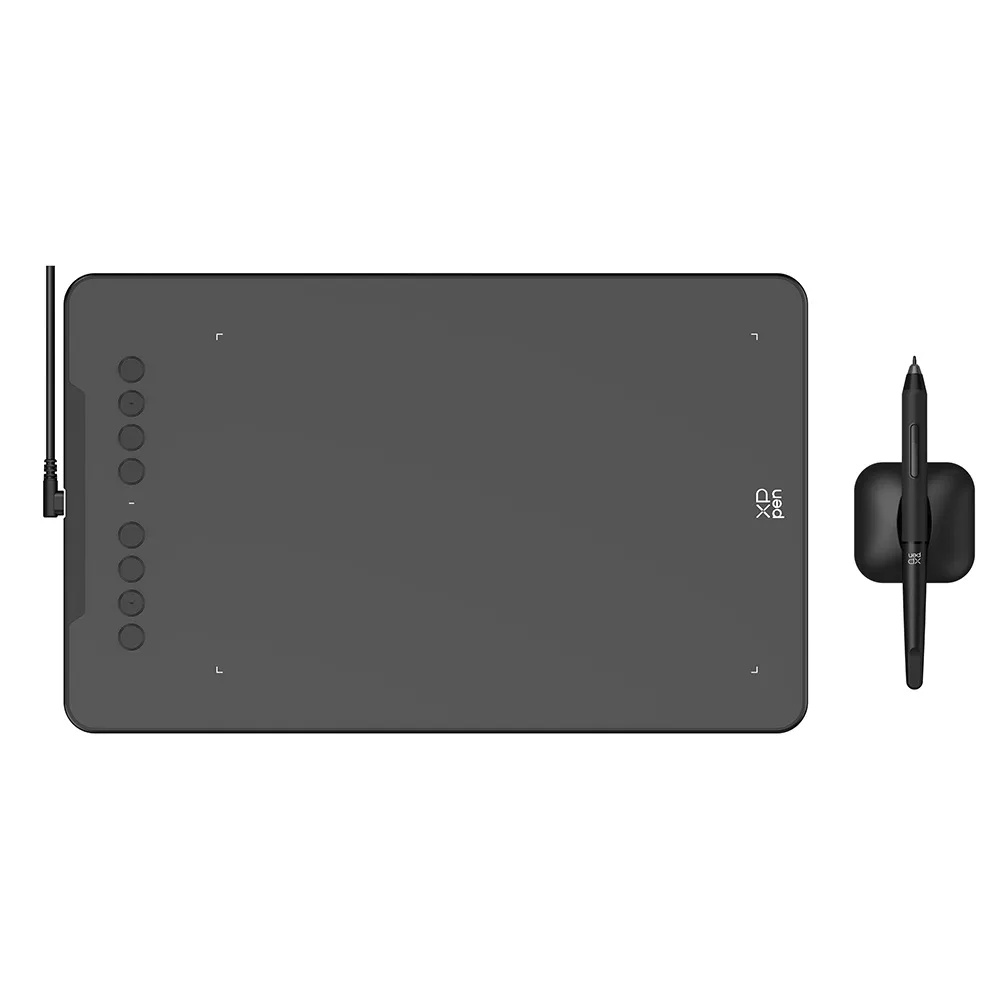
5. XP-PEN Deco 01 V2
For buyers who prefer a larger drawing surface without moving to an expensive professional device, the XP-PEN Deco 01 V2 is worth considering.
It provides a spacious 10 × 6.25-inch active area, 8,192 pressure sensitivity levels, tilt support, and eight customizable express keys.
The larger working area can make longer drawing and design sessions more comfortable, particularly for illustration, graphic design, photo editing, and digital artwork.
It also supports several major creative applications, making it a flexible option for both learners and experienced users.
Best for: Graphic designers, illustrators, students and intermediate digital artists.
Price: Around PKR 16,900 at the time of writing.
6. XP-PEN Deco 01 V3
The XP-PEN Deco 01 V3 builds on the popular Deco format while offering upgraded stylus performance with up to 16K pressure sensitivity.
Its 10 × 6.25-inch active area provides plenty of room for drawing and designing, making it a good option for users who want a modern graphics tablet without moving to a built-in display.
If you’re upgrading from a smaller beginner tablet, the larger working area and improved pressure response can provide a more comfortable creative experience.
Best for: Digital artists, illustrators and designers wanting a large non-display tablet.
7. XP-PEN Deco L
The XP-PEN Deco L is designed for users looking for a more advanced pen-tablet experience.
It features the X3 Smart Chip stylus, 8,192 pressure sensitivity levels, 60-degree tilt support, customizable shortcut keys, and a large working area. Depending on the model and configuration, connectivity options can also make it convenient for different working environments.
This tablet is particularly attractive for designers and digital artists who want professional-level control but don’t necessarily need a screen.
Best for: Professional designers, illustrators and experienced digital artists.
Price: Around PKR 22,000 at the time of writing.
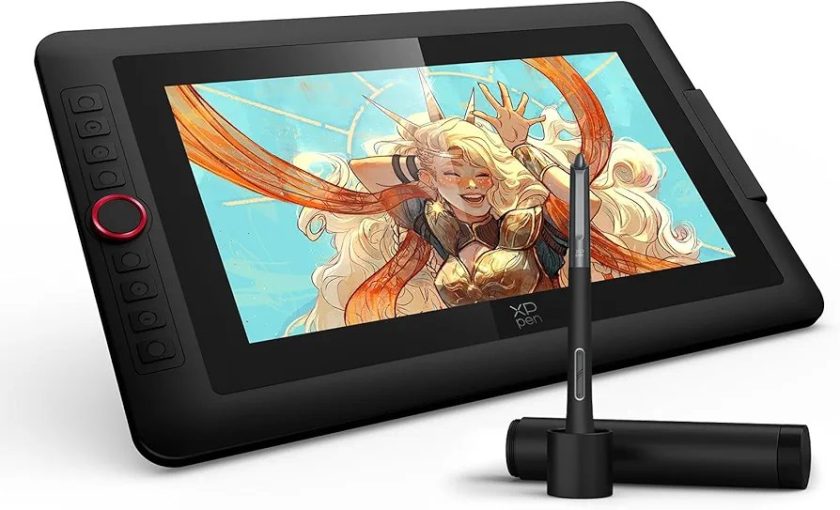
8. XP-PEN Artist 10 (2nd Gen)
If you want to move from a traditional pen tablet to a drawing display, the XP-PEN Artist 10 (2nd Gen) is a strong entry point.
It features a 10.1-inch Full HD display, X3-powered stylus, tilt recognition, and a laminated screen designed to provide a more direct drawing experience.
Drawing directly on the display can feel more natural for users transitioning from paper to digital artwork.
Best for: Beginners entering pen displays, illustrators and digital art students.
Price: Around PKR 46,000 at the time of writing.
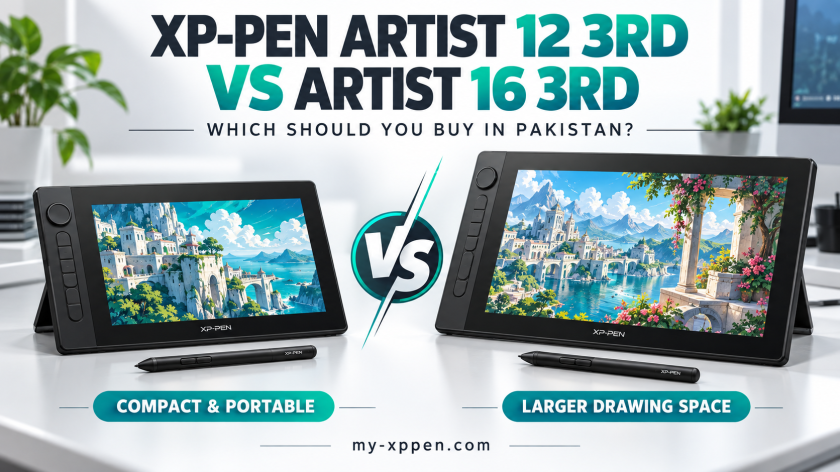
9. XP-PEN Artist 12 (2nd Gen)
The XP-PEN Artist 12 (2nd Gen) offers a larger working area while maintaining a relatively compact pen-display design.
Its X3 Smart Chip stylus, 8,192 pressure sensitivity levels, tilt support, and wide colour gamut make it suitable for digital illustration, design, animation, and other creative applications.
For buyers who find a 10-inch display too compact but don’t want a large professional monitor, the Artist 12 can provide a useful middle ground.
Best for: Digital artists, designers, illustrators and creative students.
Price: Around PKR 75,000 at the time of writing.
10. XP-PEN Artist Pro 16
Professional creators who need more screen space and stronger colour performance can consider the XP-PEN Artist Pro 16.
Its 15.4-inch laminated 1080p display provides significantly more room for illustration and design work. The model also features the X3-powered stylus, tilt functionality, and high colour accuracy.
The larger screen is particularly valuable when working with detailed illustrations, multiple software panels, animation timelines, or professional design projects.
Best for: Professional illustrators, graphic designers, animators and serious digital artists.
Price: Around PKR 148,000 at the time of writing.
Quick XP-PEN Drawing Tablet Price Comparison in Pakistan
| Drawing Tablet | Best For | Approx. Price* |
|---|---|---|
| XP-PEN Deco Fun XS | Beginners & Students | PKR 9,500 |
| XP-PEN Deco 640 | Beginners & Drawing | PKR 10,900 |
| XP-PEN Star G640 | Students & Portability | PKR 12,500 |
| XP-PEN Deco Mini 7 V2 | Portable Creative Work | PKR 14,500 |
| XP-PEN Deco 01 V2 | Designers & Artists | PKR 16,900 |
| XP-PEN Deco 01 V3 | Artists & Illustrators | PKR 17,900 |
| XP-PEN Deco L | Advanced Pen Tablet Users | PKR 22,000 |
| XP-PEN Artist 10 (2nd Gen) | Entry-Level Pen Display | PKR 46,000 |
| XP-PEN Artist 12 (2nd Gen) | Digital Artists | PKR 75,000 |
| XP-PEN Artist Pro 16 | Professional Creators | PKR 148,000 |
*Prices are indicative and may change based on stock, promotions, variants, and availability. Check the linked product page for the latest price.
How to Choose the Best Drawing Tablet in Pakistan
Don’t choose a graphics tablet based only on price. Consider how and where you plan to use it.
Consider Your Experience Level
If you’re completely new to digital drawing, a model such as the Deco Fun XS, Deco 640, or Star G640 can be enough to learn the fundamentals without making a large investment.
Intermediate users may prefer the larger working areas and additional controls offered by the Deco 01 V2, Deco 01 V3, or Deco L.
Professional artists who prefer drawing directly on a screen can consider the Artist series.
Choose the Right Working Area
A compact tablet is portable and takes up less desk space, but larger tablets can provide more freedom for broad hand movements.
Illustrators and designers working for several hours per day may appreciate a larger active area, while students and occasional users may prefer something compact.
Check Pressure Sensitivity
Pressure sensitivity determines how effectively the tablet recognizes changes in stylus pressure.
Higher pressure sensitivity can provide greater control over line thickness, opacity, and brush behaviour in supported creative applications. However, pressure levels alone should not determine your purchase; stylus performance, software support, tablet size, and your personal workflow also matter.
Check Software and Device Compatibility
Before buying, check whether the tablet supports the operating system and creative applications you use.
XP-PEN models commonly support combinations of Windows, macOS, Android, Chrome OS, and Linux, but compatibility varies by model. Always check the individual product specifications before ordering.
Decide Whether You Need a Screen
This is one of the biggest buying decisions.
A standard graphics tablet is more affordable and can offer excellent performance once you become comfortable drawing while looking at a separate monitor.
A pen display lets you draw directly on the screen and may feel more intuitive, particularly for illustrators moving from traditional drawing to digital art.
Which XP-PEN Tablet Is Best for Beginners?
For beginners on a limited budget, the XP-PEN Deco Fun XS, Deco 640, and Star G640 are good starting points.
If you want more working space and plan to continue developing your digital-art skills, the Deco 01 V2 or Deco 01 V3 provides room to grow without immediately investing in a pen display.
For beginners who specifically want to draw directly on a screen, the Artist 10 (2nd Gen) is a more suitable starting point.
Which Drawing Tablet Is Best for Professional Artists?
Professional users should prioritize screen size, colour performance, stylus response, compatibility, and comfort during long creative sessions.
The XP-PEN Artist Pro 16 is a stronger choice for professional illustration and design because of its larger display, colour-focused specifications, and advanced stylus technology.
However, professionals who prefer working with a separate monitor may find the Deco L more practical and significantly more affordable.
Drawing Tablets for Students and Online Teaching
Drawing tablets aren’t limited to artists.
Students and teachers can use them for handwritten notes, mathematical equations, diagrams, annotations, online classes, presentations, and interactive lessons.
Models such as the Star G640, Deco 640, and Deco 01 V2 can be particularly useful for education because they combine stylus input with relatively portable designs.
Final Thoughts
Finding the best drawing tablet in Pakistan depends on your budget and how you intend to use the device.
Beginners can start with affordable models such as the Deco Fun XS, Deco 640, or Star G640. Users who need more drawing space and controls can move towards the Deco 01 V2, Deco 01 V3, or Deco L.
If you prefer drawing directly on a screen, the Artist 10 (2nd Gen) and Artist 12 (2nd Gen) provide an accessible route into pen displays, while the Artist Pro 16 is better suited to demanding professional workflows.
Instead of simply choosing the most expensive tablet, compare the active area, stylus technology, pressure sensitivity, display requirements, compatibility, and your actual creative workflow. The right tablet is the one that provides the features you need without forcing you to pay for features you won’t use.
Frequently Asked Questions
What is the best drawing tablet in Pakistan for beginners?
Compact XP-PEN models such as the Deco Fun XS, Deco 640, and Star G640 are suitable starting options for beginners. Users who want a larger active area can consider the Deco 01 series.
What is the drawing tablet price in Pakistan?
Drawing tablet prices vary considerably depending on size, specifications, stylus technology, and whether the device includes a display. Entry-level XP-PEN pen tablets can start around PKR 9,500–12,500, while professional pen displays can cost well above PKR 100,000.
Is a graphics tablet useful for graphic designers?
Yes. Graphics tablets can provide precise stylus input for illustration, photo editing, retouching, digital painting, design, and other creative workflows.
Should I buy a pen tablet or pen display?
Choose a pen tablet if affordability, portability, and desk space are priorities. Consider a pen display if you prefer drawing directly on a screen and want a more traditional drawing-like experience.
Can students use drawing tablets?
Yes. Drawing tablets can be used for digital notes, diagrams, online classes, presentations, mathematical work, creative assignments, and learning digital art.
Where can I buy XP-PEN drawing tablets in Pakistan?
You can compare available XP-PEN models, specifications, current prices, and availability directly through the XP-PEN Pakistan product listings before choosing the model that best matches your requirements.